Mega menus for WordPress.
Configure instead of code.
SuperNav turns any WordPress menu into a professional mega panel — with columns, icons, descriptions, cards, sidebar and CTA bar. Configured right inside the menu editor, without writing a single line of code.
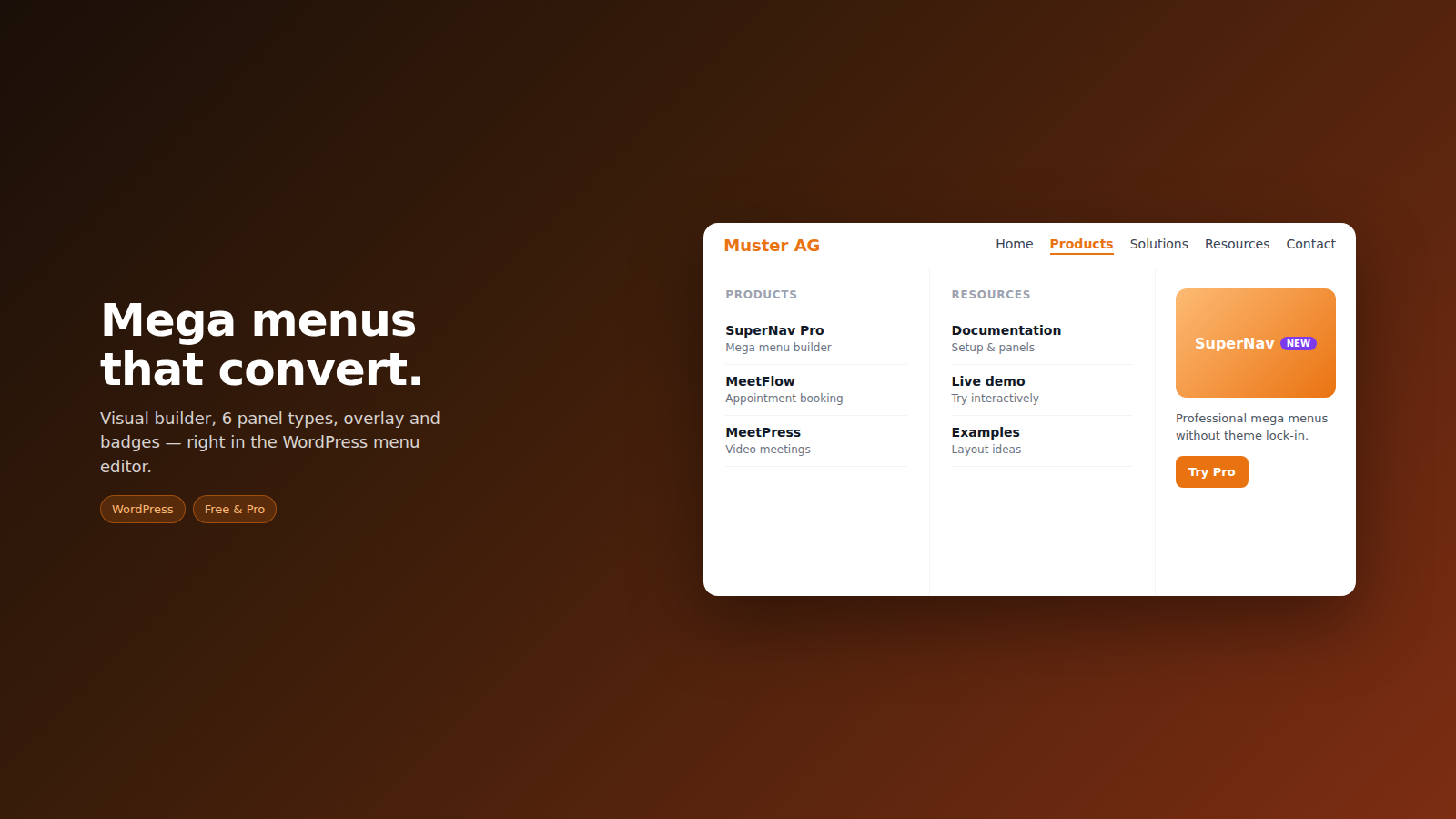
3 panel types
Columns with icons & descriptions, cards with images, or featured image with support links — freely selectable per menu item.
JSON configuration
Panels are defined right inside the WordPress menu editor using clean JSON — with a built-in formatter and syntax check.
4 color levels
Colors globally, per menu item, per column or per item — with a clear priority logic and a CSS variables reference.
Sidebar & CTA bar
Right-hand sidebar with link groups, bottom links and an optional call-to-action bar below the panel.
Badges
"New", "Beta" or custom badges on individual items — including clickable badge URLs.
Dimming overlay
Dim the page, fade panels in/out (own timings) and optional flip effect with adjustable angle (3D fold) — all Free under Spacing & Shape (Core 2.10.56).
Responsive & theme-friendly
Automatic edge detection, mobile drawer/fullscreen and documented theme compatibility.
Pro extension
Launch: sticky, logo, search, roles, styling. From Grow: translation module (AI with your own OpenRouter key, Excel/CSV), auto-panels, map block, custom CSS. Details & pricing →
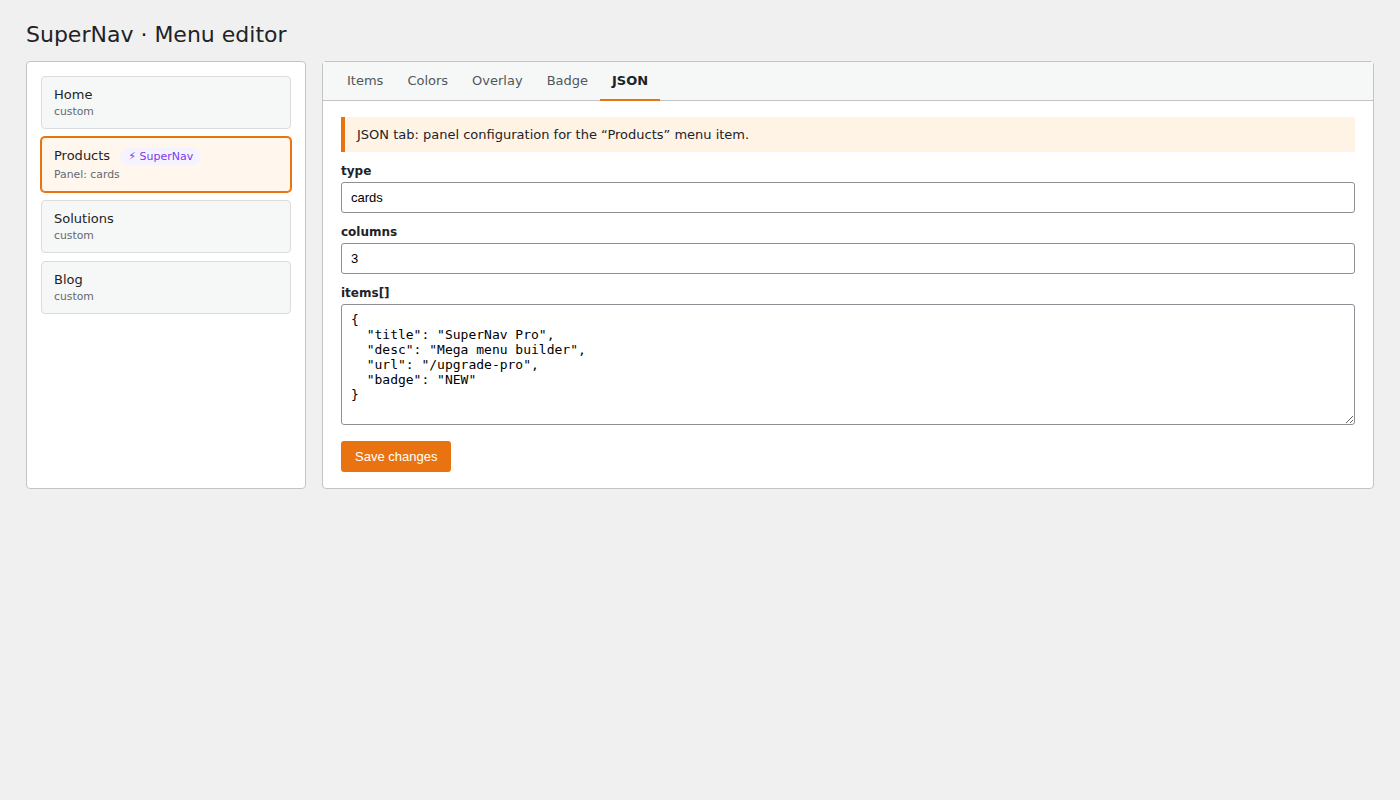
Your mega menu in 3 steps
- Install the plugin — upload the ZIP under
Plugins → Add New → Upload Plugin, then activate. - Configure a menu item — under
Appearance → Menus, expand a top-level entry: the ⚡ SuperNav Panel appears. - Pick a panel type & paste your JSON — define columns, icons and links, save, done.
Free or Pro?
The SuperNav Core (free) includes the visual builder and all 6 panel types including overlay, tag row, sidebar and CTA. Launch adds sticky, logo, search, roles and styling. From Grow: translation module, auto-panels, map block and custom CSS; Scale adds white-label and up to 25 websites.